Showing posts with label GAMES. Show all posts

Sunday, 7 August 2016

5 Amazing Games like Pokemon Go

Below we have selected some of the best games whose concept is quite similar to Pokemon go game. You just need to download them and give a try to them. So have a look on all these games.
#1 Ingress


Amazing Games Like Pokemon Go

Ingress was the first AR game released by the developers who brought you Pokemon Go. This game transforms the world into competitive game that includes mystery and intrigue. The whole world is divided into two forces. The Enlightened are the ones who seek the power of this force and later use them while the Resistance tries to defend humanity against this force.


Amazing Games Like Pokemon Go

Zombies, in this assume you are the hero and the center point of the adventure. It transforms the world around you. You can prefer to use it in jogging, running or power walking and even on tread-mill. Different missions everyday are completed to unlock a new one for the upcoming day.


Amazing Games Like Pokemon Go

SpecTrek is basically a reality game that comes in the world in form of ghosts and anomalies. What you have to do is find those ghosts using GPS and camera on your phone and catch them. Use your phone’s GPS and location sharing options to find where the ghosts are spawning. Find their locations and set out to get rid of them. You can even visit the place where there have been sightings on ghost and save your time by catching them.


Amazing Games Like Pokemon Go

Watch the alien invasion and defend your territory by deploying all tactics. Build some sort of structures around your surroundings to defend against invading aliens. You can even take part in the battle sitting at your home and become the first and last line of defense against the alien race. It includes the entire organization of people who have to defend their hometowns and even the entire planet by an alien race. You can choose and defend different areas around your location and help other people in this ultimate war of the world.

Amazing Games Like Pokemon Go

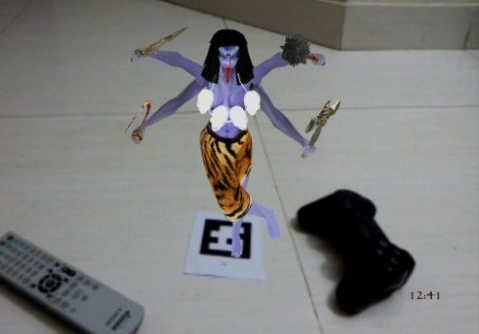
In this game, you can either be a treasure protector and create different trials for the hunters to become a treasure hunter or to shoo and look for priceless treasures around the temple. Find the treasure guardians in the given time and complete all the tasks to discover the real treasure. The game puts an emphasis on time, so you need to act quick and solve all the clues and mysteries in the allotted time. Become the real treasure hunter in this epic treasure hunting game.
So above are the 5 Amazing Games Like Pokemon Go. Give a try to all these games in your smart phone and you will surely love to play them in your device. Hope you like the guide, do share with others too. Leave a comment below if you have any related queries with this.

Thursday, 28 July 2016

#Pokemon

Hello guys,i hope you all are gamers, well for me am a professional gamer to to the core.
From the age of 7, I am and still a game lover.

#POKEMON#


Do you know abouth this game?

Are you not aware that the game is cool.

No need to talk much just download the game from here

Pokemon

You will love it,I promise you


Friday, 4 March 2016

How To Run Games Without Graphics Card

How To Run High-End Games Without Graphics Card

How To Run High-End Games Without Graphics Card
We are going to share an interesting trick on how to run your favourite games without Graphics Card this post is going to be very helpful if you don’t have the graphics card installed on your computer.
My tutorial on how to run games without graphics card is here. Applying this tutorial you will able to run high-end games on low-end computer efficiently without having the good graphics card. I am sure many of you are facing this graphics card problem.
As we with the progression in technology many people are unable to operate games. So, is there any need to buy new Pc/Laptop or graphics card to run games? Well no, by using the below method you can run games which require the graphics card.

How To Run Games Without Graphics Card

#1 Method – Using 3D-Analyze

3da236
3D Analyze is a powerful application that allows playing many DirectX based games using video hardware officially unsupported and unable to run these.With it, you can optimize efficiency, above all if your CPU will permit, although still with a low range card. This program supports Direct3D as much as OpenGL, whichever it may be to optimize your system.Now I’ll show you how to install and configure 3D-Analyze main settings to play games for this just follow the following steps:-
First of all download, the 3D analyze.
  1. Now install and run the 3D analyze.
  2. Now click on select option as below and then a window opens where you have to select the exe. file of the game which you wants to run.
  3. Now you can see names, vendorID, and deviceID of different graphics cards. Select any one of them and enter the VendorID and DeviceID in the column at the left side.
  4. Just click on Run button and Enjoy

#2 Method – Using SwiftShader


SwiftShader’s modular architecture is capable of supporting multiple application programming interfaces, such as DirectX® 9.0, and OpenGL® ES 2.0, the same APIs that developers are already using for existing games and applications. SwiftShader can, therefore, be directly integrated into applications without any changes to source code.It is also similar to 3D analyze.
First of all download the SwiftShader.
  1. * Download Swiftshader 3.0 for x86bits
    * Download Swiftshader 3.0 for x64bits
  2. Now extract the zip file of SwiftShader.
  3. Now copy the d3d9.dll file from the extracted folder.
  4. Paste the d3d9.dll file to the game’s directory.
  5. Just click on exe. file of your game where you placed the d3d9.dll file and Enjoy !!

# 3 Method: Razer Cortex: Boost

152841_8adab8da8332947d13160e9ea8fc9826
Razer Cortex improves your PC’s performance by managing and killing processes and apps you don’t need while gaming (like business apps and background helpers). This frees up valuable resources and RAM that’s needed by intense games, and can fix some problems like stuttering graphics and laggy gameplay.First of All Download the software named Razer Cortex: Boost From here
  1. You need to create an account in order to activate it.
  2. Once your account is created, right click on any game application and launch it with Razer Game Booster.
That’s it I am sure it will help you. If you are facing any problem then just comment below. Thanks, In this way you will be able to run games without graphics cards. Don’t forget to share this post with your friends.